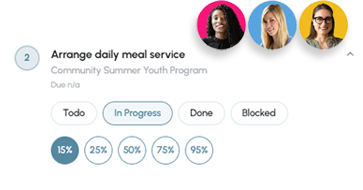
Stop sending reminder emails and chasing task owners. Updatd automatically follows up with project owners, collects status updates, and keeps your spreadsheet current.
Works with the spreadsheet you already use.
Projects don't fall behind because spreadsheets are bad. They fall behind because someone has to constantly coordinate dozens of small activities — invisible work that consumes hours every week.
Updatd continuously watches your project spreadsheet and takes action automatically, so nothing slips through the cracks between status meetings.
Reaches out to task owners and gathers progress without you sending a single reminder.
Surfaces slipping schedules and emerging issues before they reach your status report.
Flags missing owners and inconsistent data so your source of truth stays trustworthy.
When a due date is at risk, Updatd asks the owner for a realistic new completion date.
Captures what's getting in the way and routes it to the people who can unblock it.
Coordinates the routine follow-up work so your team can focus on the actual project.
Instead of waiting for project managers to notice problems, Updatd proactively keeps everything moving — quietly, in the background, every day.
Follows up with the right owner at the right time to collect a fresh status.
Watches every task for stalls, slips, and gaps so risks never go unnoticed.
Writes updates straight back into your spreadsheet, keeping it current automatically.
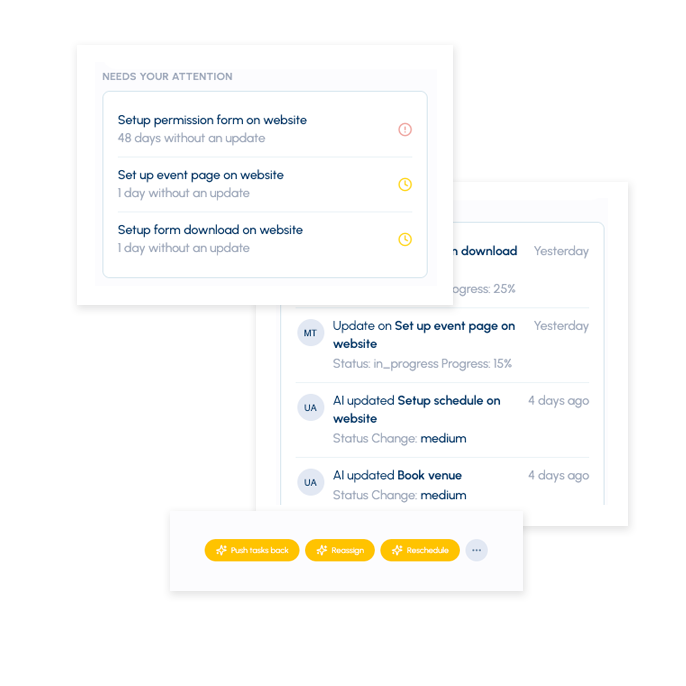
When a task hasn't been updated within the expected timeframe, the AI automatically requests a status update from the task owner and records the response.
Updatd identifies tasks without owners before they impact project reporting and recommends the most appropriate person to assign based on project context, workload, and historical ownership.
When progress indicates a task is unlikely to finish on time, the AI proactively requests a
revised completion date from the task owner.
The project coordinator can review and approve the proposed change.
Updatd notifies the project coordinator as soon as a deadline is missed, while Project Health and Task Risk scores provide early warning indicators that help teams intervene before tasks become overdue.
Updatd continuously audits project
information to identify missing, outdated, or inconsistent data across spreadsheets and project plans.
It highlights issues and recommends corrections, improving reporting accuracy without requiring
manual reviews.
Project blockers are often hidden in status updates long before they're formally reported. Updatd analyzes updates, conversations, and task activity to automatically detect potential blockers, even when team members don't explicitly flag them.
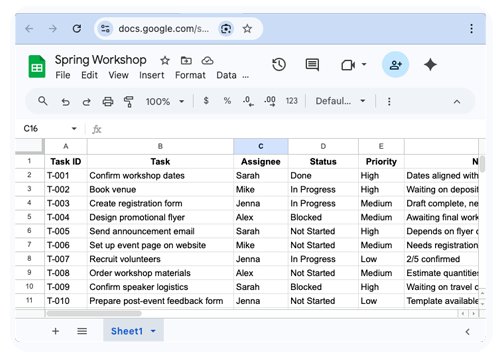
Don't migrate projects. Don't retrain everyone. Keep the tool your team already trusts.
Simply add an AI coordination layer that keeps your existing spreadsheet accurate and up to date.
Start Freeof manual follow-up eliminated each week, per manager.
always-on monitoring of every task in your spreadsheet.
reminder emails you have to write and send yourself.

Automatically follow up with task owners, collect progress updates, and keep your spreadsheet current without manual reminders.
Explore →
Continuously monitor your spreadsheet for overdue work, missing owners, stale tasks, and other issues before they become project problems.
Explore →
When projects start slipping, Updatd requests revised dates, surfaces risks, and helps keep work moving.
Explore →No. Updatd works with the spreadsheet your team already uses — there's nothing to migrate and no new tool to learn.
Project management software helps you manage projects — it gives you a place to record tasks,
owners, and dates. AI Project Coordination helps you run them.
Instead of waiting for someone to update the plan, Updatd does the coordination work itself: it chases
owners for status, collects progress, surfaces risks, and keeps your spreadsheet current — so the plan
reflects reality without anyone maintaining it by hand.
Updatd collects project updates in two ways. It automatically detects progress signals from connected
email accounts, capturing status updates where your team is already communicating, and it proactively
reaches out to task owners whenever additional information is needed.
The AI consolidates these updates,
interprets the latest progress, and writes the results back into your project spreadsheet so reporting
stays accurate without manual follow-up.
Updatd continuously monitors task progress to identify schedule risks before deadlines are missed.
When it detects that a task is likely to slip, it requests a revised completion date from the task
owner and updates the project coordinator with the recommended change.
If a task becomes overdue,
Updatd immediately notifies leadership and raises the project's Health and Task Risk scores so
corrective action can be taken quickly.
Minutes. Connect the spreadsheet you already use and Updatd begins coordinating status collection right away - no setup required.
Updatd automates project status collection, surfaces risks, and keeps your spreadsheet current — without changing how your team works.