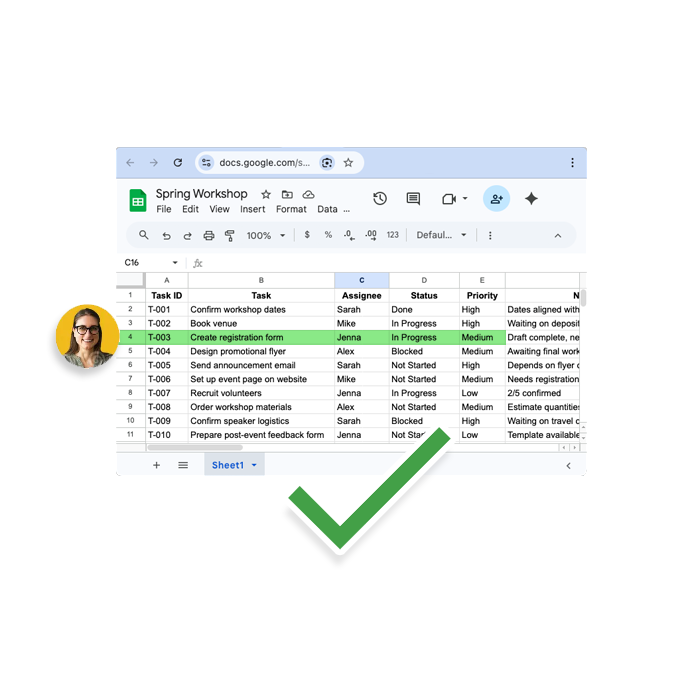



Automatic status updates

Goodbye nothing gets updated unless you chase everyone

Automatically follow up with task owners and keep your spreadsheet current — without manual reminders.

Signup today

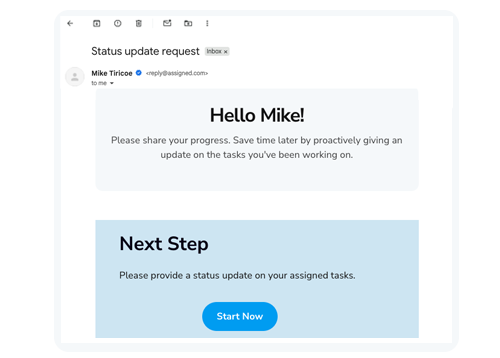
Task owner sharing an update

Your spreadsheet stays current
without you

Updatd knows who owns what and when an update is due. It reaches out at the right time, in the channels your team already uses, and consolidates every reply into one accurate picture of progress.

Proactive outreach to task owners

When an update is due, Updatd reaches out automatically with a clear, specific ask — so owners know exactly what's needed and you never have to send the reminder yourself.
Automatic outreach to task owners

Status updates detected in email conversations

Updatd monitors email conversations automatically — parsing updates, detecting progress signals where you already work.
email providers

Written straight back to your spreadsheet

Updatd interprets each reply, captures the latest progress, and updates your spreadsheet automatically — keeping the source of truth your team already relies on accurate and up to date.
Signup today
Status written back to spreadsheet
What's included

Everything that keeps updates flowing

Owner follow-ups

Automated, timely reminders to the people who own each task.

Progress detection

Reads progress signals from connected email so nothing has to be re-typed.

Update consolidation

Merges replies and signals into one clear, current status per task.

Spreadsheet write-back

Writes the latest status into the spreadsheet your team already uses.

Smart timing

Reaches out when an update is actually due — not on a noisy fixed cadence.

No new tool to learn

Owners reply where they already work — no logins, no dashboards.

Stop chasing updates.
Let Updatd collect them.

Updatd follows up, collects progress, and keeps your spreadsheet current — automatically.

  • No setup required
Happy woman