



Turn your spreadsheet into a system that runs itself

Add a layer of automation that follows up, updates progress, and keeps work moving — without you chasing anything.

Three layers. One system that runs itself.

You don't need to rebuild how your team works. You need to add intelligence to the system you already have.

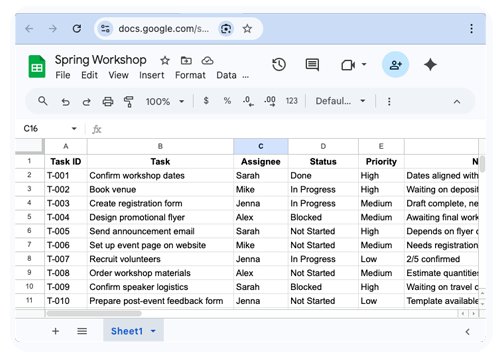
Your existing spreadsheet
LAYER 1

Your existing spreadsheet

Nothing changes about how your team works today. Your spreadsheet stays exactly as it is — the tasks, the owners, the timelines, the structure you've already built.

This is the foundation. You don't need to start over.

→ No new tools. No migration. No retraining.

LAYER 2

Around the clock monitoring

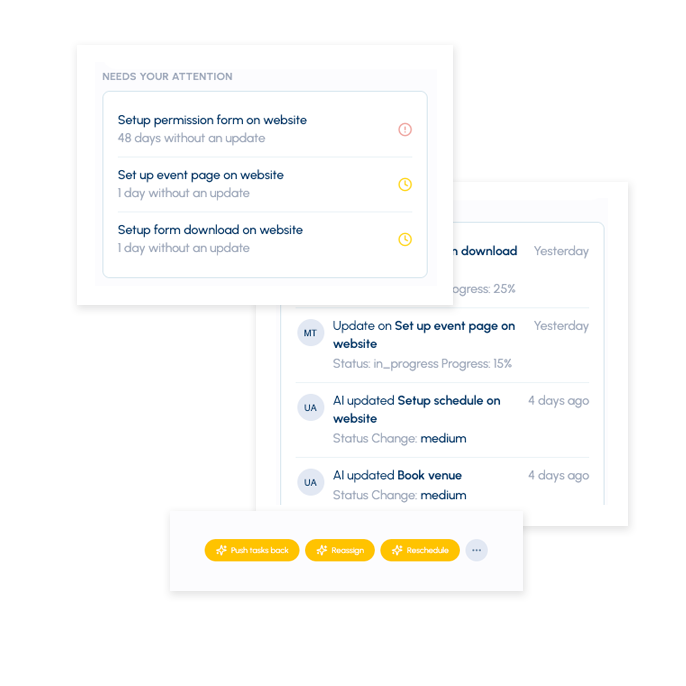
Updatd watches your spreadsheet. When needed, the system acts — automatically.
Deadline passes with no update
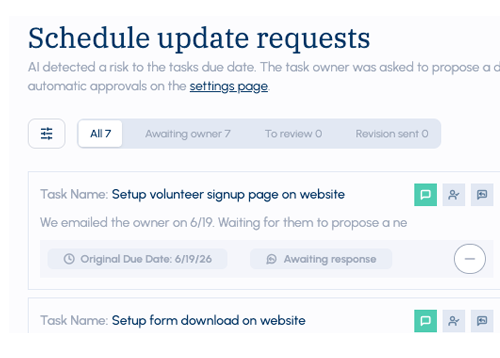
System sends a follow-up to the task owner
Status hasn't changed
System requests a progress update
Someone goes unresponsive
System flags the item and alerts you
suggested actions
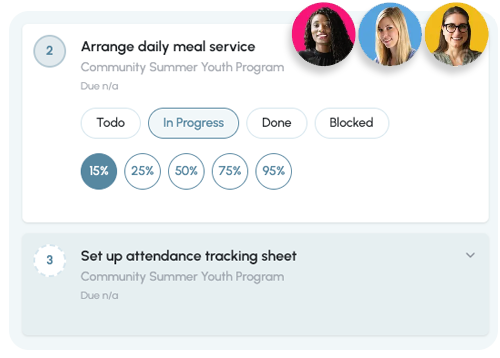
AI agents doing the work
LAYER 3

AI agents - what happens automatically

AI agents are the action layer. When a trigger fires, agents handle what you used to do manually.

Not chatbots. Not something you interact with. They work in the background, invisibly, while you focus on everything else.
Following up on overdue tasks
Requesting status updates
Flagging risks before they become problems
Keeping everything moving

You stop managing work.
The system manages it for you.

When these three layers work together, something changes. Work that used to stall starts moving on its own. Things that used to fall through the cracks get caught automatically. You stop being the system — and start designing one.

Ready to start?

Person saying We're here to help!

We're here to help!
Ask us anything

Talk to us

See Examples

Real spreadsheets transformed into self-running systems. See the before and after.