



The app built for project coordinators

Insights, tools, and settings on top of the spreadsheet you already use — so you can see what's slipping, collect updates, and keep work on track without chasing anyone.

Everything you need to coordinate, in one place

Your spreadsheet stays the source of truth. Updatd adds a coordinator's command center around it — keeping it current, surfacing risks early, and handing you the tools to act.

CONNECT

Instantly connect your spreadsheet — and stay in sync

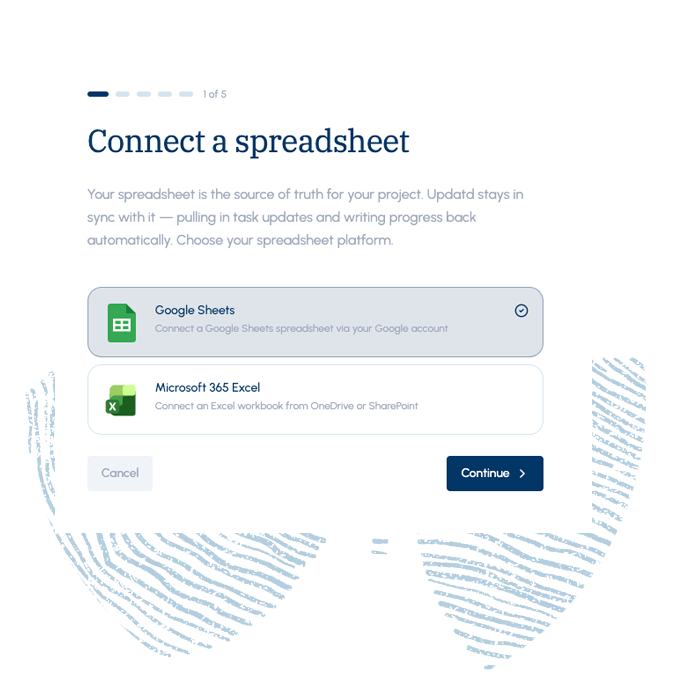
Connect an existing Google Sheet or Microsoft 365 Excel file and Updatd keeps it continuously updated with two-way sync. There's nothing new to learn or migrate to — your spreadsheet stays the source of truth while Updatd does the upkeep.

Setup is a guided connect-and-map flow, not a data import project.

→ No new tools. No migration. No retraining.
Connect spreadsheet
TASK VIEW

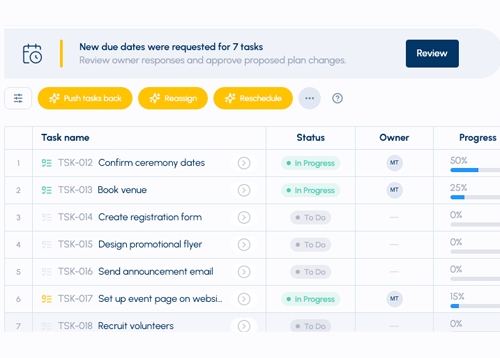
The spreadsheet you know, kept current for you

Work in a clean, familiar row-and-column task view — no new mental model to learn. Edit owners, dates, status, and progress inline with a click, just like a spreadsheet.

The difference: Updatd keeps it filled in for you instead of you maintaining it by hand.
spreadsheet visual
HEALTH & RISK

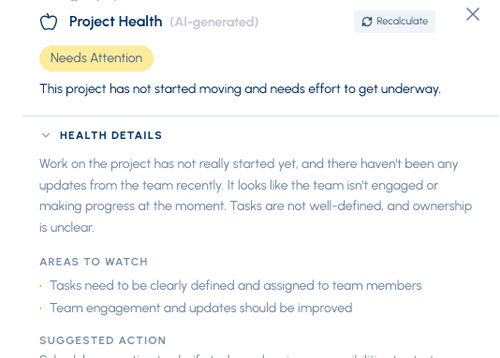
See what's slipping before it's a problem

A live schedule-health banner and project-health panel flag at-risk tasks and timeline trouble right at the top of the page. Updatd continuously scores schedule health at both the task and project level, so you get an early warning while there's still time to act — not a post-mortem after the deadline passes.

Health is visible at a glance, every time you open the project.
project health
REPLANNING

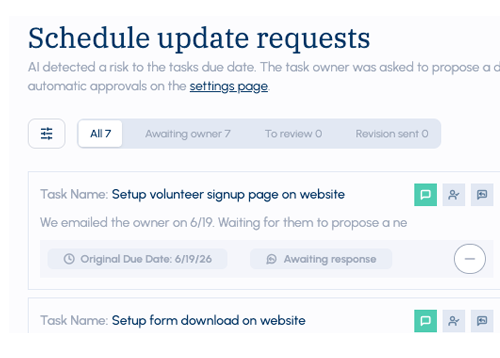
Self-correcting plans & recovery

When tasks slip, a replanning alert surfaces right in the view with an AI-suggested adjusted plan. Updatd estimates the "recovery days" needed to get back on track and proposes a realistic schedule from the actual state of the work.

Instead of staring at a stale schedule, you get one you can accept in a click — so your spreadsheet reflects reality, not wishful dates.
project replanning
ACTIVITY

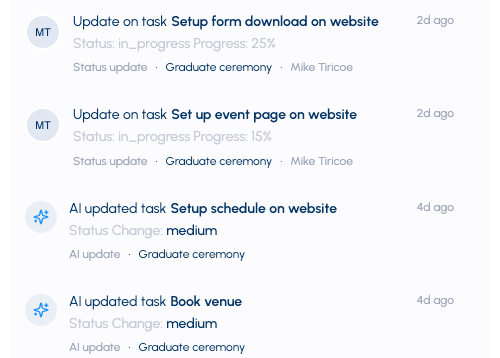
Built-in activity history

An inline activity feed shows the latest status updates and changes per task, so progress is traceable — not a black box. You can see what changed and who reported it.

Trust the system because you can see exactly where changes came from.
project activity
READINESS

Project readiness, scored

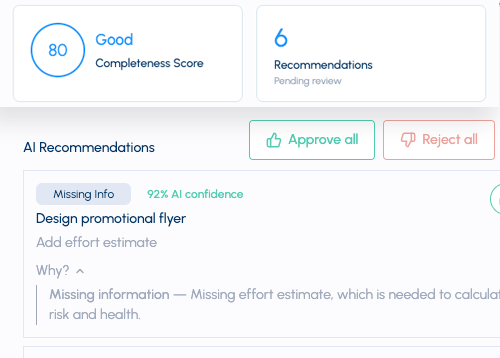
Updatd continuously monitors your project's readiness by looking for gaps and inconsistencies — like missing owners, missing due dates, or conflicting statuses — and scores each one.

So you can see, and fix, exactly what needs attention before it slows the work down.
project readiness
ASSISTANT

An AI project assistant on call

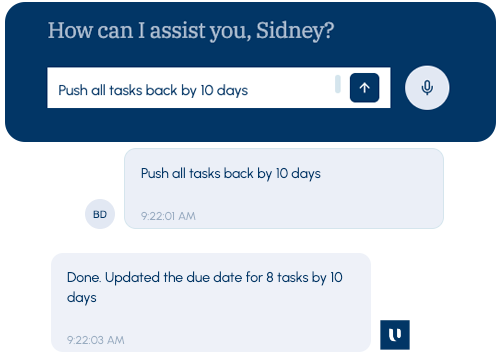
Ask anything about your projects — progress, blockers, who's behind, what's next. The assistant pulls from your latest updates so you don't have to chase anyone down.

Answers come straight from the live state of your work, not a stale snapshot.
AI Assistant

Less chasing.
More coordinating.

The Updatd app gives coordinators the insights to see trouble early, the tools to collect updates and replan in a click, and the settings to stay in control — all without leaving the spreadsheet your team already knows.